 CrowOn
 for Business
Official Support A customer-service desk that shows "Official Support" in chat.
Set up a passkey or two-factor authentication before you apply.
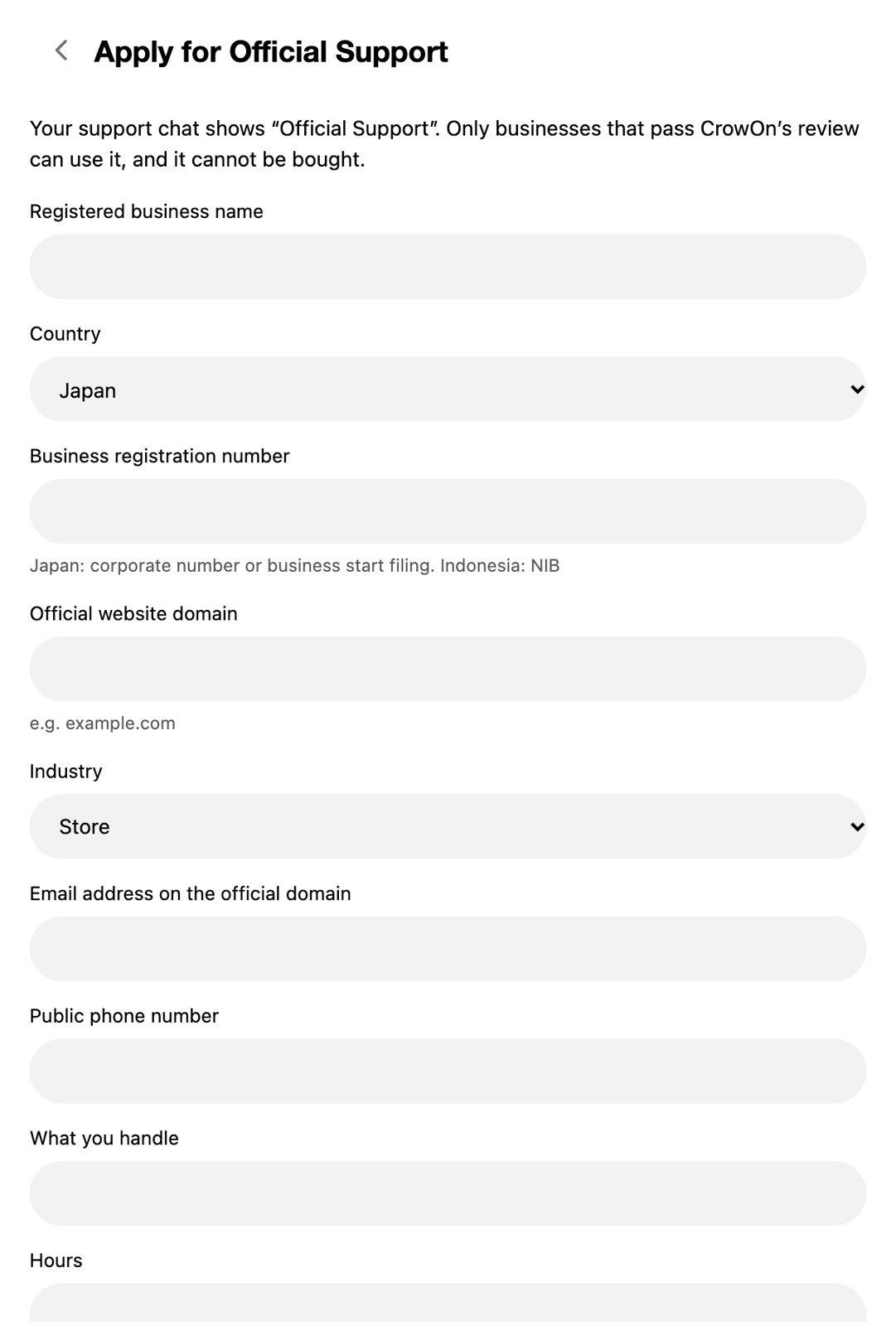
When you apply, CrowOn staff check four things: the business is real, the applicant may speak for it, the account is secured with a passkey or two-factor, and you commit to a scope and hours. Only chats that pass show "Official Support". It can't be bought.
What the application asks
- Registered business name
- Country (Japan, Indonesia)
- Business registration number
- Official website domain
- Category
- Email at the official domain
- Public phone number
- What you take questions about
- Hours
In the chat
- How it starts
- The customer writes first and the business replies. Both keep the history.
- What you can send
- Text, photos and videos. No stickers, voice or reactions.
- Automatic replies
- Up to 50 keyword replies.
- Tap the label
- It shows the verified business name, official domain and approval date.
Rules
| Item | |
|---|---|
| Price | Free. No paid plan includes it, and it can't be bought |
| Countries | Businesses in Japan and Indonesia |
| Sensitive fields | Finance, medical, legal, tickets and children's services: licence check and a second reviewer |
| First 30 days | A trial: links and files can't be sent |
| Rechecks | Every year. Changing your username removes the label until it's checked again |
Set up a passkey or two-factor authentication before you apply.